
In 2026, the landscape of television in the United Kingdom has changed forever. The days of accepting a £90/month bill from Sky or Virgin Media for a basic sports package are ending. With the cost of living crisis still biting and subscription prices hiking annually by CPI + 3.9%, thousands of Britons are “cutting the cord” every week.
However, the UK is also one of the most hostile environments for IPTV in the world. With aggressive ISP blocking, “3pm Blackouts,” and legal crackdowns by FACT (Federation Against Copyright Theft), choosing an IPTV provider here is not just about price—it is about stability, security, and stealth.
This is not a generic guide. This is a battle-tested manual for navigating the UK’s unique streaming ecosystem in 2026.
Quick Answer for UK Viewers
If you want a short and practical answer before diving into the details:
- Use a premium IPTV provider that is optimized for UK ISP blocking.
- Always stream through a VPN.
- Choose an IPTV app like TiviMate for the best live TV experience.
Chapter 1: The UK Legal Landscape & Risks
Before we discuss how to buy, we must address the elephant in the room.
The “Grey Area” vs. The “Black Market”
In the UK, IPTV falls into two categories:
Legal / Verified Services: These are apps like Sky Go, BT Sport App, BBC iPlayer, Netflix, and Disney+. They hold the broadcasting rights.
Unverified Services: These are third-party providers offering thousands of channels for £10-£15/month.
The Hard Truth: If a provider offers you Sky Sports Main Event, TNT Sports, and movies for £12/month, they do not hold the rights. In the UK, accessing this content exists in a legal grey area for end users in the UK
In the UK, enforcement efforts mainly focus on large-scale operators and resellers. Internet service providers also cooperate with rights holders by monitoring and restricting access to unauthorized streams, end-users in the UK have received “cease and desist” letters from ISPs. In 2026, ISPs like Virgin Media and Sky act as the “police” of the internet, actively monitoring traffic for illegal streams.
Risk Warning: Never use a direct bank transfer or a debit card linked to your main high-street bank account (Barclays, Lloyds, etc.) to pay for unverified IPTV. It creates a permanent paper trail. We will cover safe payment methods in Chapter 7.
Quick Comparison Table: Legal vs. IPTV
| Feature | Sky / Virgin Media | Premium IPTV | Free/Cheap IPTV |
| Cost | £60 – £120 / month | £10 – £15 / month | £0 – £5 / month |
| 3pm Kickoffs | No (Legally Blocked) | Yes (Via Int. Channels) | Hit or Miss |
| Reliability | (Perfect) | (Very Good) | (Buffering) |
| Video Quality | 4K UHD | FHD / 4K | SD / 720p |
| Risk | Zero | Low (With VPN) | High (Malware/Scams) |
| Delay | 10s (Satellite) | 20s – 45s | 60s+ |
Chapter 2: The “Big Shield” – Understanding UK ISP Blocking
If you are in the US or Asia, you might not need a VPN. In the UK, you 100% do.
The major UK internet providers—Sky, Virgin Media, BT, TalkTalk, and Plusnet—have a court-mandated system often called “The Big Shield.” During live Premier League matches, they deploy automated blocking scripts.
How they block you:
DNS Blocking: When your Firestick asks “Where is https://www.google.com/search?q=server.iptv.com?”, your ISP’s phonebook returns “Address Not Found.”
IP Throttling: They detect video traffic coming from known non-Netflix servers and artificially slow your connection speed from 100Mbps to 0.5Mbps. This causes the infamous “looping” or buffering.
Premier League “Blocks”: This is a dynamic system. During a match (e.g., Liverpool vs. Man City), rights holders scan the web for illegal streams and send real-time IP addresses to ISPs to block instantly. This is why your stream might work perfectly all week and then die at exactly 3:05 PM on a Saturday.
The Solution: You absolutely need a provider that offers “Anti-ISP Blocking” technology (often via alternative ports or domain rotation), BUT you should always run a VPN (Virtual Private Network) as your first line of defense.
Chapter 3: The “Premier League” Factor (3pm Blackouts)
The #1 reason people in the UK buy IPTV is football. However, the UK has a unique rule from the 1960s: The 3pm Blackout.
No football match played between 2:45 PM and 5:15 PM on a Saturday can be broadcast on live TV in the UK. This is to protect attendance at lower-league stadiums. This means even if you pay Sky £100/month, you literally cannot watch roughly 40% of the Premier League season.
What to look for in a Provider:
A “UK-Focused” IPTV provider must offer International Channels. Since 3pm games are broadcast globally (just not in the UK), your provider needs to have stable feeds from:
USA: Peacock / NBC Sports / USA Network.
South Africa: SuperSport (Highly reliable for EPL).
Middle East: BeIN Sports (The gold standard for 4K football).
Scandinavia: Viaplay Sports.
Pro Tip: When testing a trial, do not just check “Sky Sports.” Go to the “International Sports” or “VIP Sports” category. If they don’t have Peacock or SuperSport, you will miss the 3pm kick-offs.
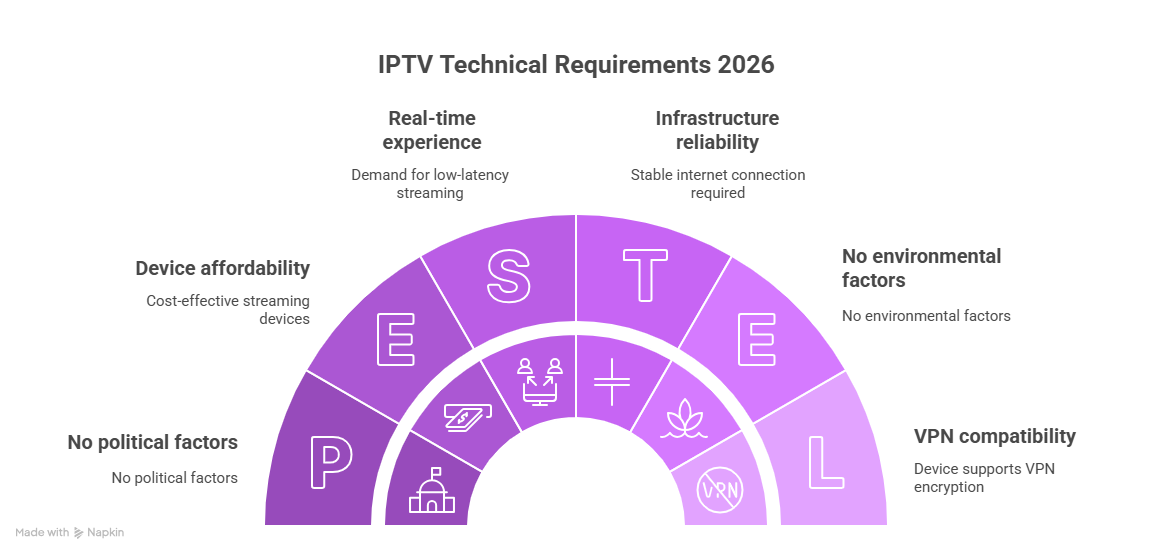
Chapter 4: Technical Requirements for 2026
You don’t need a supercomputer, but you do need the right setup.
1. Minimum Internet Speed
UK fiber infrastructure is good, but latency is the killer.
SD Content: 5 Mbps.
HD (1080p): 15 Mbps.
UHD (4K) / 50FPS: 40+ Mbps stable speed.
Crucial Test: Do not trust the speed your ISP advertises. Run a speed test on the device you will use (e.g., the Firestick) at 8 PM (peak time).
2. The Best Device for UK Users
Amazon Fire TV Stick 4K Max (Gen 2): The undisputed king in the UK. It is cheap, discreet, supports Wi-Fi 6E, and handles VPN encryption easily.
NVIDIA Shield TV Pro: For those who want AI upscaling and raw power.
Smart TVs (Samsung/LG): AVOID. Their operating systems (Tizen/WebOS) are restrictive. They often block IPTV apps or have very limited memory, leading to buffering. Always use an external stick/box.
3. Latency (The “Goal Alert” Problem)
Nothing is worse than getting a notification on your phone that your team scored, while your TV stream is still 45 seconds behind.
Standard IPTV Delay: 30–60 seconds.
Low-Latency IPTV: 10–15 seconds.
When choosing a provider, ask: “What is your average latency compared to live satellite?”
Chapter 5: How to Spot a Scam (Red Flags)
The UK market is flooded with scammers. Here is how to spot them in seconds.
Red Flag 1: “Lifetime Subscription”
There is no such thing as a lifetime subscription in this industry. Servers cost money to run every month. If someone sells you a “One-off payment of £40 for life,” it is a Ponzi scheme. They will shut down in 3-6 months and disappear with your money.
Red Flag 2: No Free Trial
A legitimate provider is confident in their service. They will offer a 24-hour trial (sometimes for a small fee like £2 to prevent spam, which is acceptable). If they refuse a trial and demand you buy 12 months upfront, WALK AWAY.
Red Flag 3: Selling on Social Media
Do not buy IPTV from Facebook Marketplace, TikTok comments, or random Instagram DMs. These sellers are usually “Resellers” with zero control over the servers. When the server goes down, they cannot fix it.
Red Flag 4: 100,000+ Channels
Quality over Quantity. Nobody needs 4,000 channels from India or Brazil if they only want UK TV. A provider claiming “100,000 Channels” is usually overloading their database, which makes the Electronic Program Guide (EPG) slow and laggy. Look for a “Modified” or “UK/US Optimized” playlist.
Chapter 6: The “Stress Test” – How to evaluate a Trial
So, you found a provider and got a 24-hour trial. Do not just watch the news. You need to stress-test the connection. Follow this protocol:
Step 1: The “Peak Time” Test
Test the service between 7:00 PM and 9:00 PM UK time, especially when a Champions League or Premier League match is on. This is when provider servers are under maximum load.
If it buffers now, it is useless.
Step 2: The “Channel Zap” Test
Open the channel list and quickly switch between channels (Zap).
Click Channel A -> Wait for picture.
Click Channel B -> Wait for picture.
A good service should load channels in under 2-3 seconds. If it takes 10 seconds to load a channel, the server is overloaded or located too far away.
Step 3: The “Rewind” Test (Catch-up)
Go to a channel marked with a “Clock” icon (Catch-up/Replay). Try to play a show from yesterday.
Does it load? Can you fast-forward without it crashing? Catch-up is resource-intensive; if this works, their servers are powerful.
Step 4: The “FHD Sports” Test
Find a channel broadcasting in FHD (50fps) or UHD. Watch the ball movement.
Does the ball “ghost” or stutter? That means the frame rate is low (25fps).
Does the ball move smoothly? That is true 50/60fps.
Chapter 7: Payment & Anonymity (Crucial for UK)
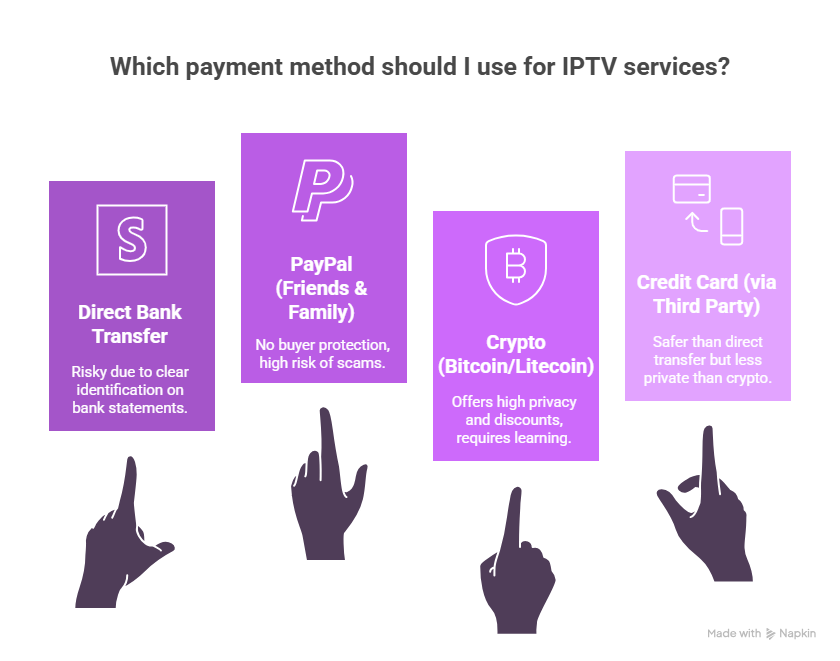
How you pay matters.
Avoid:
Direct Bank Transfer: Your bank statement will say “Dave’s IPTV Services.” This is risky.
PayPal (Friends & Family): Zero buyer protection. If they scam you, your money is gone.
Preferred:
Crypto (Bitcoin/Litecoin): The gold standard. offers a higher level of privacy compared to traditional payment methods and often comes with a discount (e.g., 10% off). If you are serious about privacy, learn to use a well-known non-custodial wallet.
Credit Card (via Third Party): Some providers use generic payment gateways that appear as “Web Hosting” or “Tech Support” on your bill. This is safer than a direct transfer but less private than Crypto.
Chapter 8: Electronic Program Guide (EPG)
For a UK user, the EPG is vital. You are used to the Sky/Virgin TV Guide grid.
Good Providers: Offer a full 7-day EPG for all UK channels (Sky, BT, BBC, ITV). The guide should show program descriptions, start times, and thumbnails.
Bad Providers: Show “No Information” for most channels.
Note: The app you use dictates how the EPG looks.
TiviMate (Android/Firestick): Has the best EPG in the world. It looks exactly like a Virgin TiVo box.
IPTV Smarters: Has a decent, functional EPG.
Ensure your provider gives you a URL for the EPG (usually ends in .xml or .gz).
Chapter 9: The Final Verdict & Checklist
Choosing the best IPTV service in the UK in 2026 is a balance between Risk and Reward.
Your Ultimate Buyer’s Checklist:
Trial First: Did you test it during a live game at 8 PM?
VPN Ready: Do you have a VPN installed (NordVPN, Surfshark, ExpressVPN)?
Content Check: Does it have Peacock/SuperSport for 3pm Kickoffs?
Support: Do they have a Telegram or WhatsApp group? (Email support is too slow for live sports issues).
Payment: Are you paying securely (Crypto) or discreetly?
Key Takeaways for UK IPTV Users in 2026
- UK ISPs actively block unauthorized streams during live sports.
- A VPN is essential for stable IPTV streaming.
- International sports channels are required for 3pm kick-offs.
- Testing during peak time is the only reliable evaluation method.
Common Questions UK Users Ask About IPTV
Is IPTV legal in the UK?
IPTV exists in a legal grey area in the UK. Official streaming apps are fully licensed, while third-party services may not hold broadcasting rights.
Do I need a VPN for IPTV in the UK?
Yes. Due to ISP blocking and traffic shaping, a VPN is strongly recommended for UK users.
Why do IPTV streams stop during 3pm matches?
This is due to the long-standing 3pm blackout rule in the UK, which prevents domestic broadcasters from airing live matches.