
you’re probably frustrated by now, so here’s a quick answer for you: If you’re looking for the best player for live TV and sports, choose TiviMate. and If you’re looking for something easy and family-friendly, choose IPTV Smarters Pro. And if you’re looking for the sweet spot between both, choose XCIPTV.
In the rapidly evolving world of streaming protocols, the “Media Player” is often the most undervalued component of the chain. Users frequently blame buffering on their internet connection or the server, not realizing that the client-side application (the App) plays a critical role in how data packets are decoded, buffered, and rendered onto the screen.
This comprehensive guide aims to provide a definitive, technical comparison of the leading IPTV applications in 2026. We are moving beyond surface-level reviews to understand rendering engines, codec support, UI philosophy, and hardware synergy.
Whether you are an everyday user trying to stop the buffering wheel, a tech enthusiast looking for 4K performance, or searching for the perfect companion for your Nvidia Shield, this guide dissects the three market leaders: TiviMate, IPTV Smarters Pro, and XCIPTV.
The Architecture: “Playlist Parser” vs. “Media Engine”
To evaluate these apps properly, one must first understand that an IPTV app performs two distinct functions. It is not just a “TV screen”; it is a complex piece of software that handles:
- Playlist Parsing: Processing the M3U/M3U8 file or Xtream Codes JSON data. This determines how fast your channel list loads and whether the EPG (Electronic Program Guide) populates correctly.
- Media Rendering: The actual decoding of the video stream (H.264, H.265/HEVC) using a player engine (usually ExoPlayer or VLC). This determines picture quality and stability.
Technical Insight: Hardware Decoding (HW+)
The best apps utilize Hardware Decoding. This offloads the heavy video processing from the CPU to the device’s GPU. TiviMate and XCIPTV excel here, allowing for smooth 4K@60fps playback on low-power devices like Firesticks, whereas older apps relying on Software Decoding often stutter and overheat the device.
The best apps utilize Hardware Decoding. This offloads the heavy video processing from the CPU to the device’s GPU. TiviMate and XCIPTV excel here, allowing for smooth 4K@60fps playback on low-power devices like Firesticks, whereas older apps relying on Software Decoding often stutter and overheat the device.
1. TiviMate: The “Live TV” Specialist
Core Philosophy: Replication of the traditional Cable/Satellite Set-Top Box experience.
Under the Hood
TiviMate is built natively for Android TV OS. Unlike cross-platform apps, it is highly optimized for D-Pad remote navigation. It primarily uses the ExoPlayer engine, which is maintained by Google, ensuring high compatibility with modern streaming formats like HLS (HTTP Live Streaming) and DASH.
Unique Technical Features
- Auto Frame Rate (AFR): TiviMate can automatically switch your TV’s refresh rate to match the content source. For example, if you are watching a UK sports channel broadcasting at 50Hz, TiviMate switches your TV to 50Hz mode. This eliminates “micro-stutter” or judder during fast camera pans in football matches.
- Multi-View Parsing: It can establish multiple concurrent connections to the server, decoding up to 9 streams simultaneously on one screen (though 4 is the practical limit for most hardware).
- Catch-up Integration: It parses
stream_idtags to automatically generate a timeline of past shows, allowing you to scroll back in the guide and play yesterday’s news seamlessly.
 How to Install TiviMate on Firestick (2026 Method)
Since TiviMate is not on the Amazon App Store, you must sideload it.
- Go to Settings > My Fire TV > Developer Options. Turn ON “Apps from Unknown Sources”.
- Install the Downloader app from the Amazon Store.
- Open Downloader and enter the shortcode: 272483 (or visit tivimate.com).
- Click Install.
- Setup: Open TiviMate > Add Playlist > Select “Xtream Codes”.
- Enter the Server URL, Username, and Password provided by Xtreme HD.
Troubleshooting TiviMate
- Problem: “Parser Exception” Error.
Fix: This usually means a typo in the URL. Ensure there are no spaces. If using M3U, switch to Xtream Codes login. - Problem: EPG says “No Information”.
Fix: Go to Settings > EPG > Assign EPG Source. Sometimes you need to manually clear the EPG cache if the file is too large.
2. IPTV Smarters Pro: The “VOD” Specialist
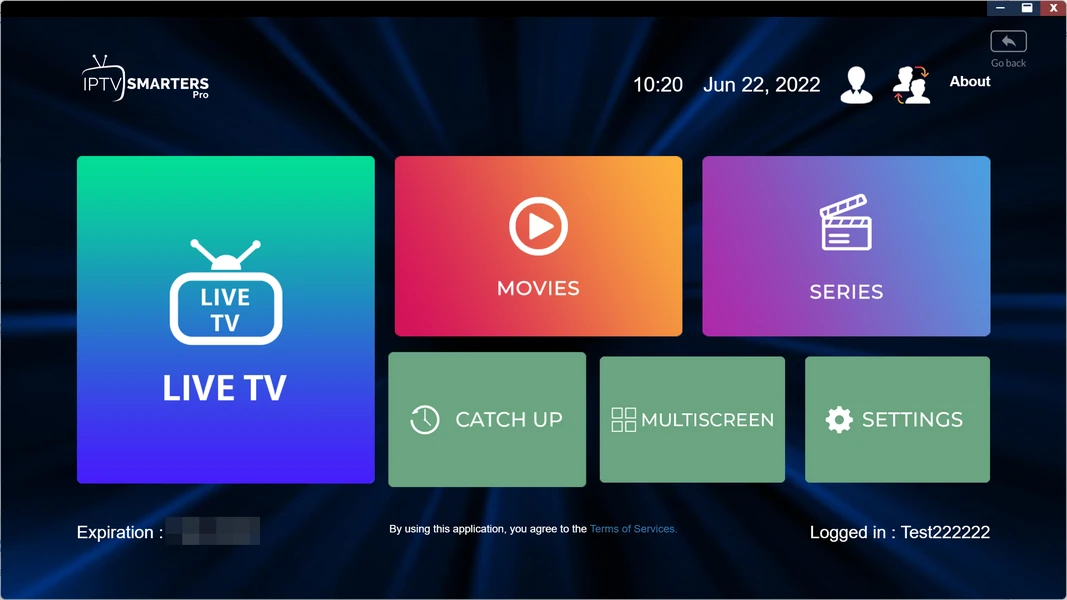
Core Philosophy: A “Tile-Based” interface designed for accessibility, simplicity, and cross-platform compatibility.
Under the Hood
Smarters is built using hybrid frameworks that allow it to run on iOS, Android, WebOS (LG), and Tizen (Samsung). This makes it the most versatile option but sometimes comes at the cost of raw performance compared to native apps. It uses a modified version of the IJKPlayer framework.
Unique Technical Features
- Master Search: Smarters indexes the VOD (Video On Demand) library locally. This allows for a “Global Search” across Movies, Series, and Live TV simultaneously. TiviMate searches are often slower or segmented.
- External Player Handoff: Smarters makes it incredibly easy to force-open a stream in an external player like VLC or MX Player. This is crucial if a specific movie uses an obscure audio codec (like EAC3 or DTS) that the built-in player fails to decode.
- Parental Control Logic: It offers one of the most robust category-level locking systems, essential for families who want to hide Adult categories from the main menu completely.
How to Install Smarters on Samsung/LG TV
Smart TVs have closed operating systems, so you can’t use APKs.
- Go to the Samsung Apps or LG Content Store.
- Search for “IPTV Smarters Pro” or “Smarters Player Lite”.
- Install the app.
- Setup: Select “Login with Xtream Codes API”.
- Enter: Name (Any), Username, Password, and the URL:
http://line.xtreme-hd.com(Example).
Troubleshooting Smarters
- Problem: Movies play but have no sound.
Fix: This is a codec issue. Go to Settings > Player Selection > Change VOD Player to “VLC” (you must install VLC separately on Android devices). - Problem: App crashes on “Downloading Channels”.
Fix: Your playlist is too big for the TV’s RAM. Ask your provider to remove unwanted countries from your playlist to make it lighter.
3. XCIPTV: The “Modern Hybrid”
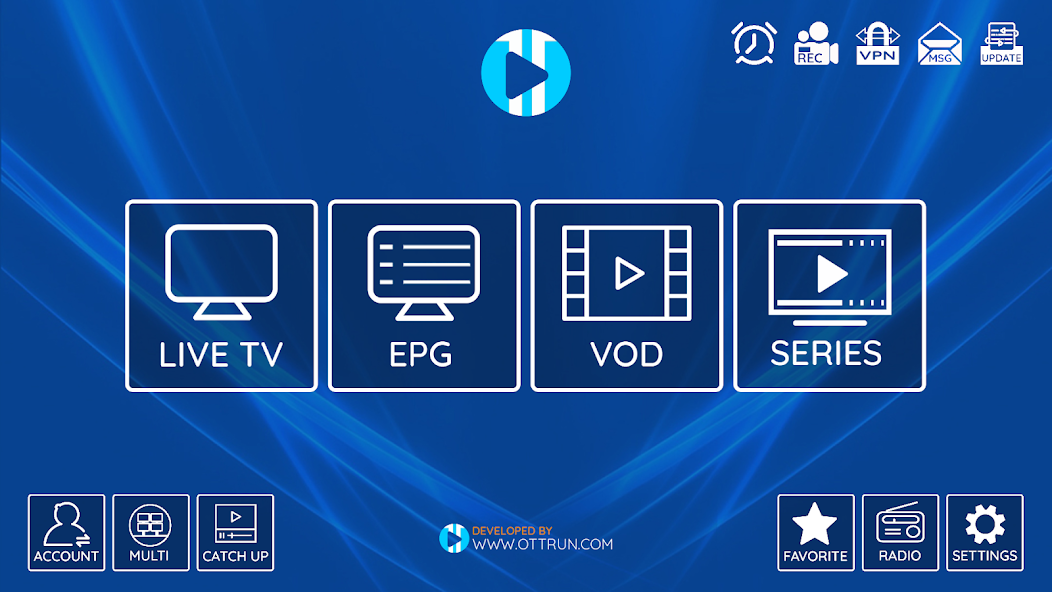
Core Philosophy: Visual flair, branding, and a Netflix-style experience.
Under the Hood
XCIPTV is frequently used by providers who want a custom-branded app, but the standalone version is excellent. It integrates both ExoPlayer and VLC engines natively, allowing the user to switch engines per category.
Why it’s a “Hybrid”
You can configure XCIPTV to use ExoPlayer for Live TV (for fast zapping) and VLC for Movies (for subtitles and audio support). This flexibility solves the “Jack of all trades, master of none” problem that Smarters sometimes faces.
Unique Technical Features
- IMDb Integration: It pulls rich metadata (ratings, cast, plot) directly from IMDb APIs, making the VOD section look professional.
- Built-in VPN (OpenVPN): Some versions of XCIPTV allow you to import an OpenVPN profile directly into the app, securing your connection without needing a separate VPN app running in the background.
Hardware Synergy: Which App for Which Device?
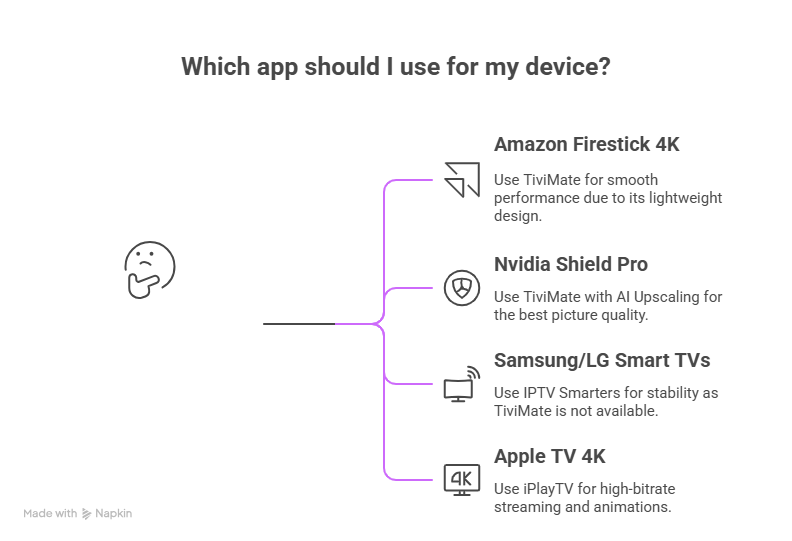
Not all hardware is created equal. A $30 Firestick Lite cannot handle the same processing load as a $200 Nvidia Shield. Here is our recommended pairing:
1. Amazon Firestick 4K / 4K Max
Best App: TiviMate.
Reason: Fire OS is based on Android, but it has limited RAM. TiviMate is incredibly lightweight and resource-efficient. It runs buttery smooth on Firesticks where Smarters might feel sluggish.
2. Nvidia Shield Pro (The Beast)
Best App: TiviMate (with AI Upscaling).
Reason: The Shield has a feature called “AI Upscaling” that sharpens HD content to 4K. TiviMate supports the surface rendering required for this AI to work. The result is arguably the best picture quality possible in the IPTV world.
3. Samsung / LG Smart TVs
Best App: IPTV Smarters (or SmartOne / IBO Player).
Reason: You have no choice. TiviMate does not exist for these OS. Smarters is the most stable option available in their official stores.
4. Apple TV 4K
Best App: iPlayTV (Runner up: GSE Smart IPTV).
Reason: Apple’s tvOS requires specific coding. iPlayTV is a paid app, but it utilizes the Apple TV’s powerful processor to render streams at high bitrates with beautiful animations.
Technical Comparison Matrix (2026 Data)
| Feature | TiviMate | IPTV Smarters | XCIPTV |
|---|---|---|---|
| Primary Engine | ExoPlayer (Native) | IJK / Built-in | ExoPlayer & VLC |
| UI Paradigm | EPG/Grid (Guide Focused) | Tiles/Icons (App Focused) | Modern/Visual |
| Auto Frame Rate (AFR) | Yes (Advanced) | No | Partial |
| Multi-View | Yes (Up to 9 screens) | Yes (Split screen basic) | No |
| Audio Offset | Yes (Fix sync issues) | No | No |
| Target User | Power User / Sports Fan | Casual / Family | Movie / VOD Viewer |
Final Technical Analysis & Recommendation
Choosing the “better” app depends entirely on your use case and technical comfort level.
- For the Sports Fanatic: TiviMate is objectively superior. The ability to watch 4 games at once (Multi-View) and the Auto Frame Rate support makes it the only serious choice for watching the Premier League or NFL.
- For the Movie Binger: XCIPTV or Smarters provides a better VOD interface. If you spend 80% of your time watching Series and Movies, the rich metadata and poster walls of these apps are superior to TiviMate’s list view.
- For the “Set and Forget” User: IPTV Smarters is the safest bet for setting up a system for non-tech-savvy relatives. It is simple, hard to break, and looks familiar.
The “Engine” Needs “Fuel”
Ultimately, a media player is only as good as the data stream it receives. You can have TiviMate running on an Nvidia Shield, but if your provider has low bandwidth, you will still get buffering.
Advanced features like Fast Zapping, 4K UHD Streaming, and 7-Day Catch-up require a server infrastructure capable of handling the load.
For users seeking to maximize the potential of these apps, especially for Anti-Freeze playback—we strongly recommend pairing your chosen app with a premium infrastructure provider like Xtreme HD. Our servers are specifically optimized to handshake with TiviMate and Smarters for the fastest possible response times.