
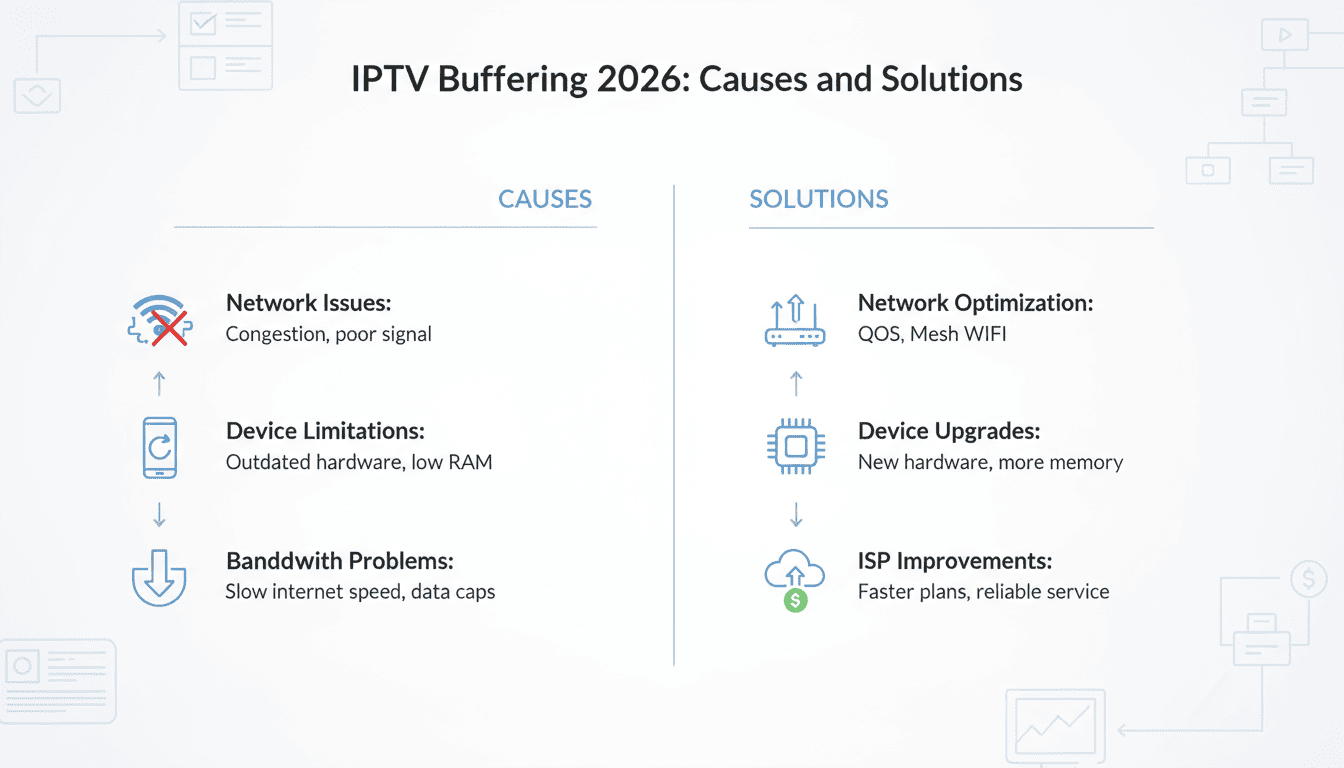
Watching IPTV in 2026 has never been easier with high-quality streaming services available worldwide. However, one common frustration users face is IPTV buffering. Whether you are streaming live sports, movies, or TV series, constant buffering can ruin the experience. In this guide, we will explain the main causes of IPTV buffering in 2026, provide practical solutions, and show how platforms like Xtreme HD IPTV offer a smooth and reliable viewing experience.
Table of Contents
- What Is IPTV Buffering?
- Main Causes of IPTV Buffering
- How to Fix IPTV Buffering
- Tips for Smooth Streaming in 2026
- IPTV Devices and Compatibility
- Why Xtreme HD IPTV Reduces Buffering
- Frequently Asked Questions
- Conclusion
What Is IPTV Buffering?
IPTV buffering occurs when your video stream pauses temporarily because the data is not arriving fast enough for smooth playback. Even with fast internet, buffering can happen due to server overload, poor device performance, or network congestion. For IPTV users in 2026, buffering is less common than before thanks to advanced server technology, but it can still happen, especially during live sports events or popular TV premieres.
Main Causes of IPTV Buffering

Understanding the root causes of buffering helps in fixing it effectively. The main reasons include:
1. Slow or Unstable Internet Connection
If your internet speed is below the required threshold for HD or 4K streaming, buffering becomes inevitable. For most IPTV streams, a speed of at least 15 Mbps for HD and 25 Mbps for 4K is recommended.
2. Server Overload
When too many users access the same IPTV server, the bandwidth is shared, which can slow down streaming and cause buffering. This is particularly common with free or low-cost IPTV services.
3. Device Performance Issues
Older devices, limited RAM, or insufficient CPU power can struggle to decode high-definition streams, leading to pauses. Using compatible devices or IPTV boxes designed for streaming helps eliminate this problem.
4. Network Congestion
Heavy usage in your home network or ISP congestion during peak hours can interrupt IPTV streaming. Using a wired connection or optimizing Wi-Fi can significantly reduce buffering.
5. Outdated IPTV Player Software
Using outdated IPTV apps or players can also create playback issues. Always update your app to the latest version to ensure compatibility and smoother streaming.
How to Fix IPTV Buffering
Several practical solutions can reduce or eliminate buffering:
1. Upgrade Your Internet Plan
Make sure your connection supports high-definition streams. For most UK users, fiber internet plans are ideal for uninterrupted IPTV streaming.
2. Choose a Reliable IPTV Provider
Platforms like Xtreme HD IPTV use strong UK-based servers, which drastically reduces buffering and ensures smooth playback. High-quality servers are key to a seamless experience.
3. Use Compatible Devices
Streaming on Smart TVs, Firesticks, or IPTV boxes with sufficient processing power will prevent device-related buffering.
4. Optimize Your Home Network
Use Ethernet connections when possible, place Wi-Fi routers near your streaming device, and reduce multiple simultaneous downloads or streaming activities.
5. Update Your IPTV App
Always use the latest versions of IPTV apps like TiviMate, IPTV Smarters, or XCIPTV to avoid compatibility and buffering issues.
Tips for Smooth Streaming in 2026
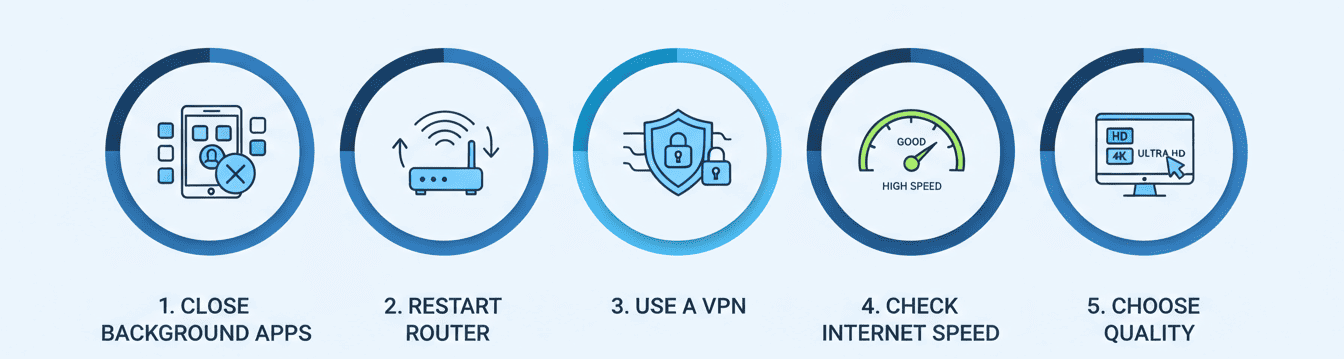
- Close background apps while streaming to save device resources.
- Restart your router periodically to clear network congestion.
- Use VPNs selectively if your ISP throttles IPTV traffic.
- Test internet speed before live sports events to ensure smooth playback.
- Choose HD or 4K streams according to your device capability.
IPTV Devices and Compatibility
For the best experience in 2026, use devices optimized for IPTV streaming. Recommended devices include:
- Smart TVs with IPTV apps
- Amazon Firestick / Fire TV
- Android TV Boxes
- Mag Devices (e.g., Mag 322, Mag 424)
- PC or Laptop with IPTV software
- iPhone and iPad with compatible apps
Choosing the right device significantly reduces buffering and ensures stable playback.
Why Xtreme HD IPTV Reduces Buffering
Xtreme HD IPTV is designed with advanced server infrastructure, optimized for UK viewers. Some of the features that minimize buffering include:
- Dedicated UK servers with high bandwidth
- Adaptive bitrate streaming for HD and 4K
- Regular server maintenance to prevent overload
- Optimized apps for mobile, PC, and TV
- Minimal channel switching delay for live sports and entertainment
Many users report nearly zero buffering even during peak hours when watching live Premier League matches or international sports events.
Frequently Asked Questions
What is the main reason for IPTV buffering in 2026?
The main reasons include slow internet, server overload, network congestion, or device performance limitations.
Can upgrading my IPTV provider fix buffering?
Yes, switching to a reliable provider like Xtreme HD IPTV with strong servers can dramatically reduce buffering.
Does device type affect buffering?
Absolutely. Using older devices or devices with low RAM can cause interruptions. Compatible Smart TVs, IPTV boxes, or Firesticks are recommended.
Is a VPN necessary for buffering issues?
Not always. A VPN is useful if your ISP throttles streaming traffic, but it won’t solve buffering caused by slow internet or overloaded servers.
Can I watch 4K IPTV without buffering?
Yes, if your internet speed and device are capable, and you use a provider with stable servers like Xtreme HD IPTV.
Conclusion
IPTV buffering in 2026 can still occur, but with the right internet connection, compatible devices, and a reliable provider, it can be nearly eliminated. Platforms like Xtreme HD IPTV UK focus on stability and optimized streaming, ensuring a smooth experience for users. By understanding the causes and applying the solutions mentioned in this guide, you can enjoy uninterrupted HD and 4K IPTV streaming all year long. and for firestick setup you can check this guide